AI assistant
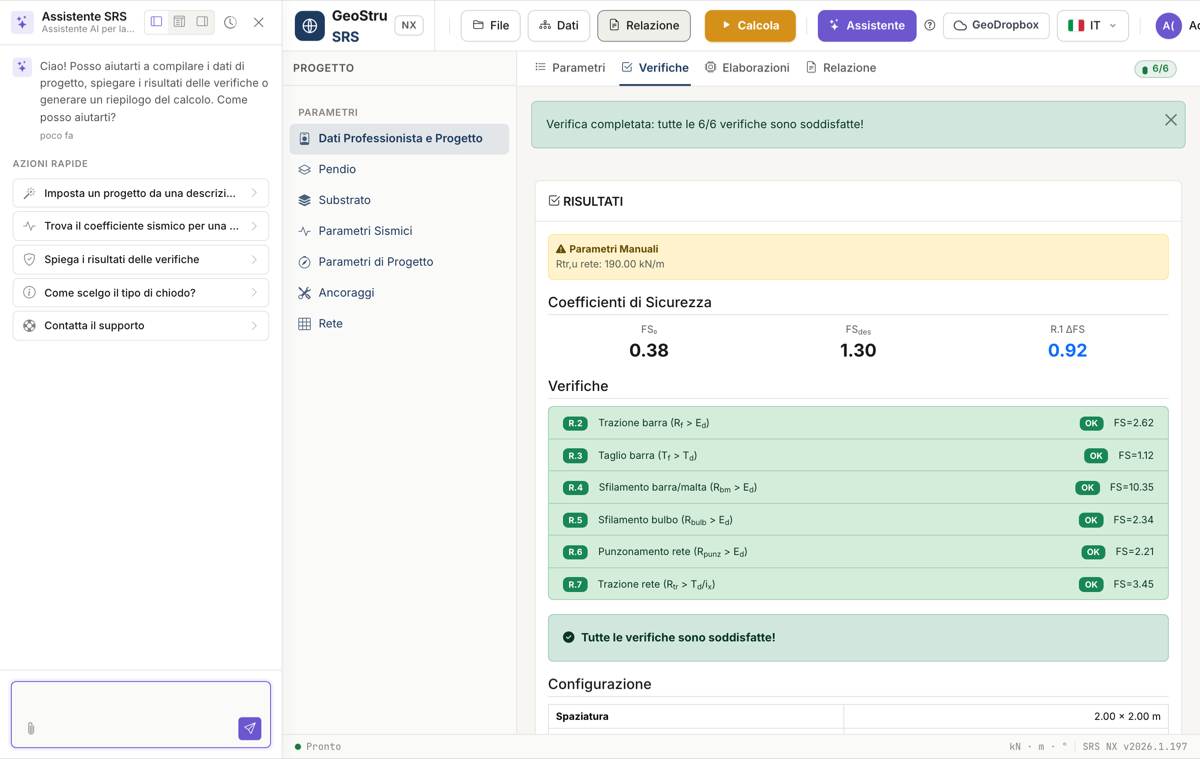
SRS NX includes a context-aware AI assistant: it always knows the open project (substrate, input parameters and design-check results, if any) and helps you in three ways. Open it from the Assistant button at the top.
1. Technical chat
Ask questions about the open project: the assistant explains why a check is not satisfied, what a parameter represents, how to interpret FS₀ and FS_des. It answers by citing the project's actual values, never invented numbers. From the assistant's menu you can also contact support and open a ticket.
2. Set up a project from a description
Instead of filling in field by field, write in plain language the problem you want to solve — slope geometry, soil or rock, nail type, mortar, facing mesh — and ask the assistant to set up the project. The assistant fills the entire form (title, design code, substrate, slope parameters, anchors, mortar, mesh) in a single action.
Example: "Sandy soil slope at 35°, 1.5 m overburden, φ' = 30°, no water table. Use GEWI Ø25 nails, R_ck 30 mortar, 2×2 m spacing, and set FS_des to 1.3."
Always review the values it sets
The assistant fills in the project but does not verify it: check the values before pressing Calculate. The operation overwrites the fields of the open project.
3. Seismic coefficient from a location
Ask the assistant for the seismic coefficient of a site — for example "what's the K_h for Bologna?" — and it will use the lat/lon from context or ask you for them. The assistant connects to the GeoStru Parametri Sismici service and retrieves the ground acceleration a_g, the amplification factor F₀ and the period T_C* for the location, then proposes a horizontal seismic coefficient K_h ready to insert in the Seismic action section.
Check local amplification
The proposed K_h assumes unit stratigraphic and topographic amplification. If the site's subsoil category or morphology implies significant amplification, increase the value before using it in the design.
Quick actions
The assistant panel offers a few quick actions to get started without typing:
- Set up a project from a description
- Find the seismic coefficient for a location
- Explain the design-check results
- How do I choose the nail type?
- Contact support
The assistant consumes NX credits
Every message sent to the assistant consumes NX credits, just like the calculation and the report export. Responsibility for the project remains with the designer: the assistant is a support tool, not a substitute for technical verification.
Found an error on this page? Let us know or open a Pull Request.