Quick start (5 minutes)
Repeat the example project from start to finish. You need an account with access to the app. The interface is available in seven languages; labels below are the Italian ones, with the meaning in brackets.
1. Load the example
Open nx.geostru.ai/masw, then load the example from the File menu. The project has 24 traces, with picks and layers already set.
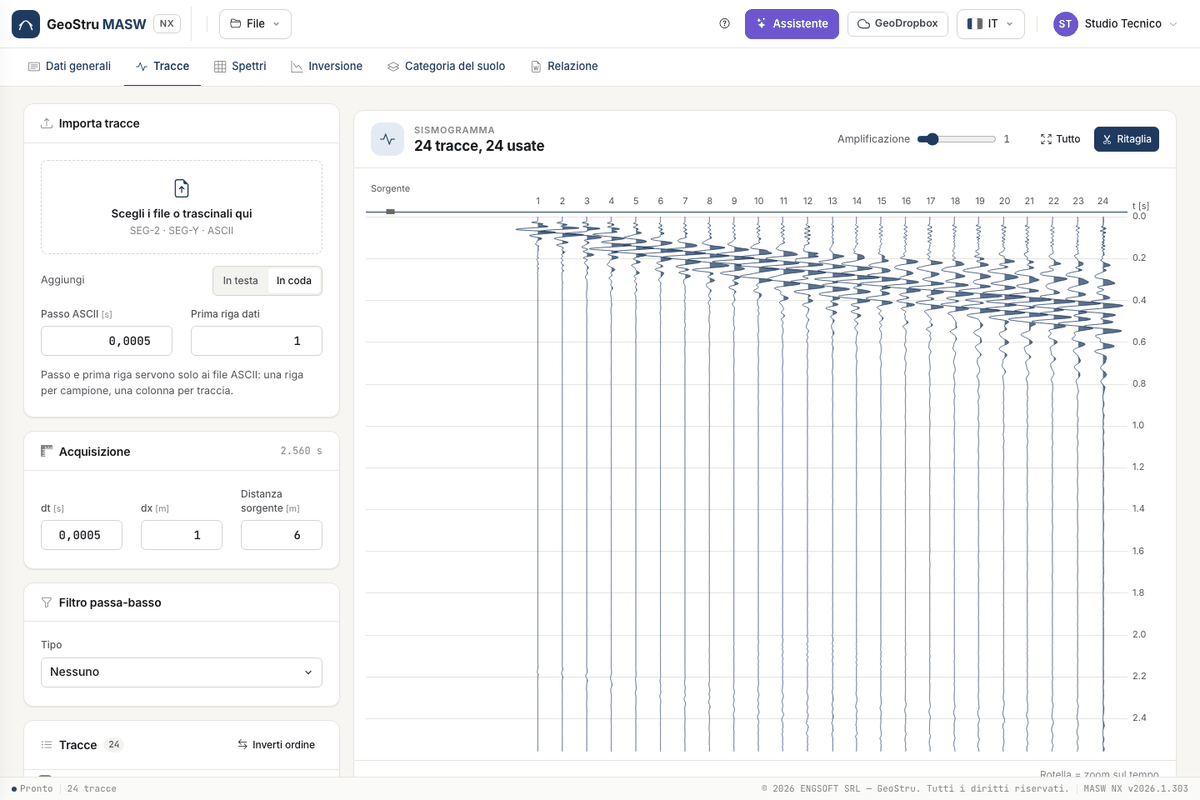
2. Compute the spectrum
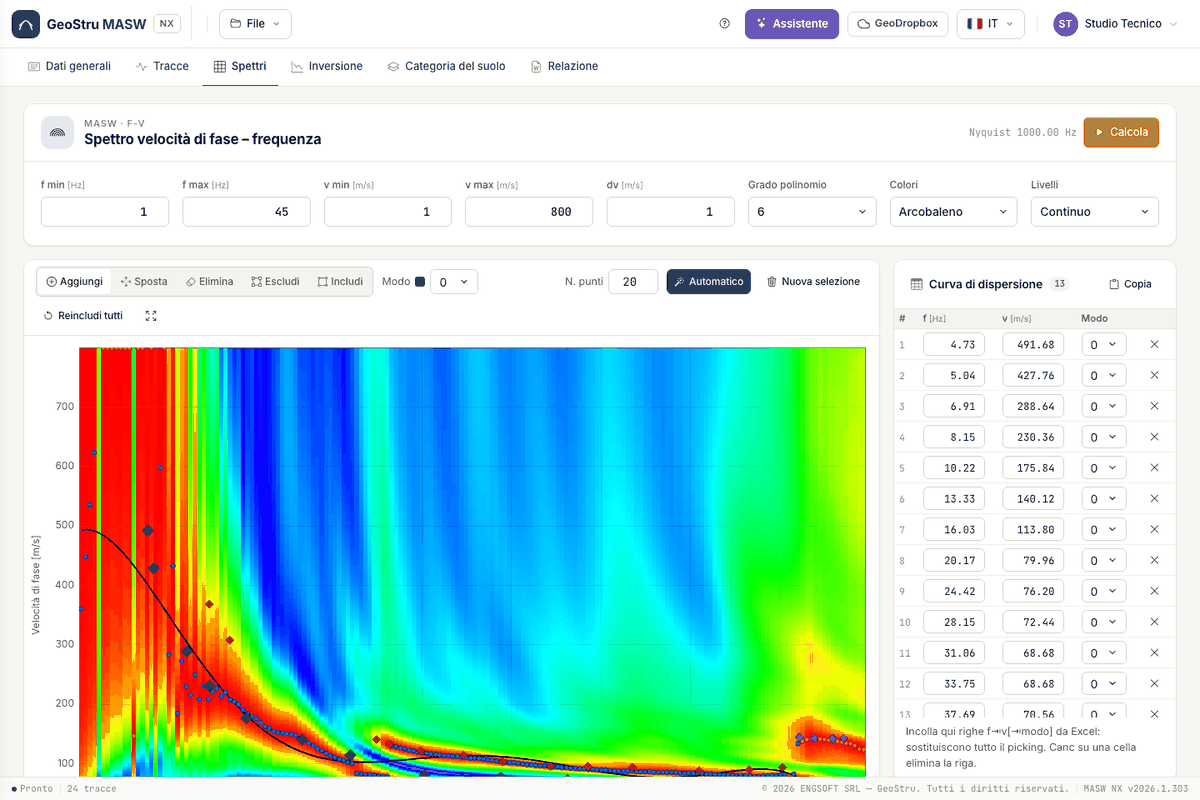
In the Spettri (Spectra) tab press Calcola (Compute). The f-v map appears with the maxima (blue), the regression (black) and the picks, coloured by mode.
3. Run the inversion
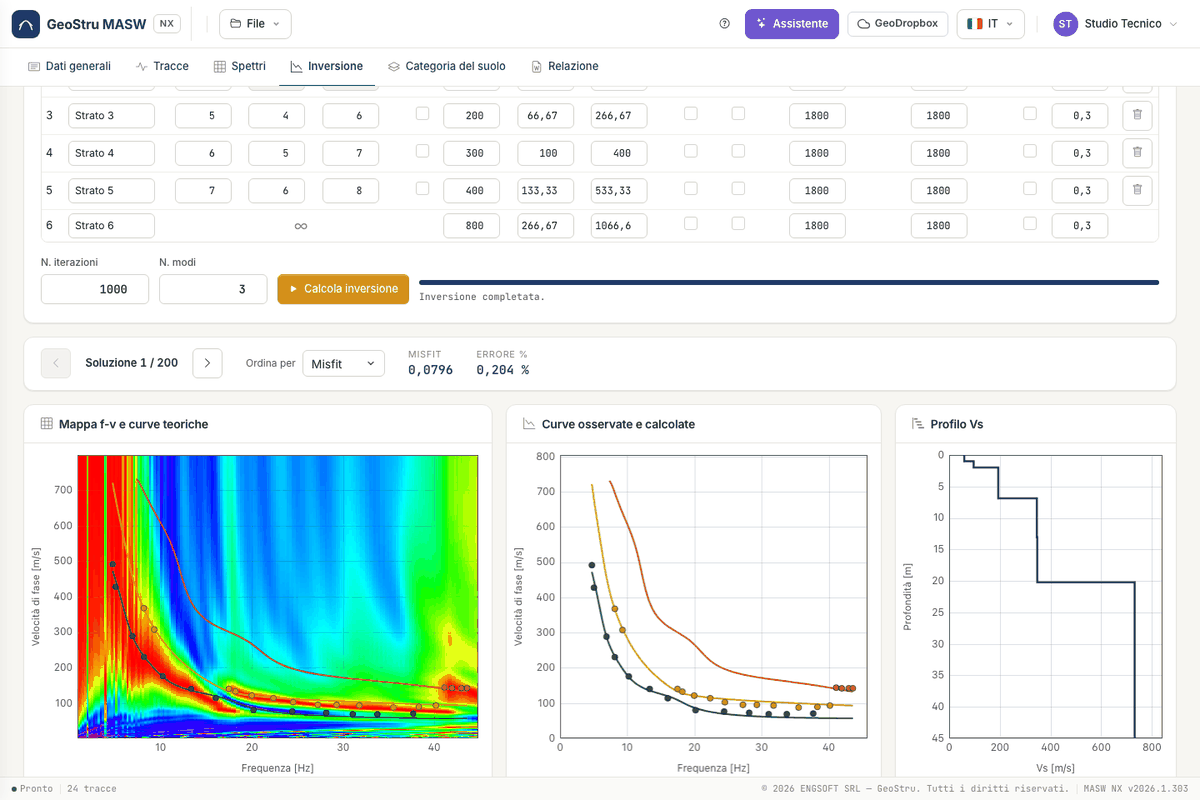
In the Inversione tab check the layer table and press Calcola inversione (Run inversion). This uses credits: they are deducted only when the run delivers its solutions. You then see theoretical curves, Vs profile and the solution browser.
4. Read the category
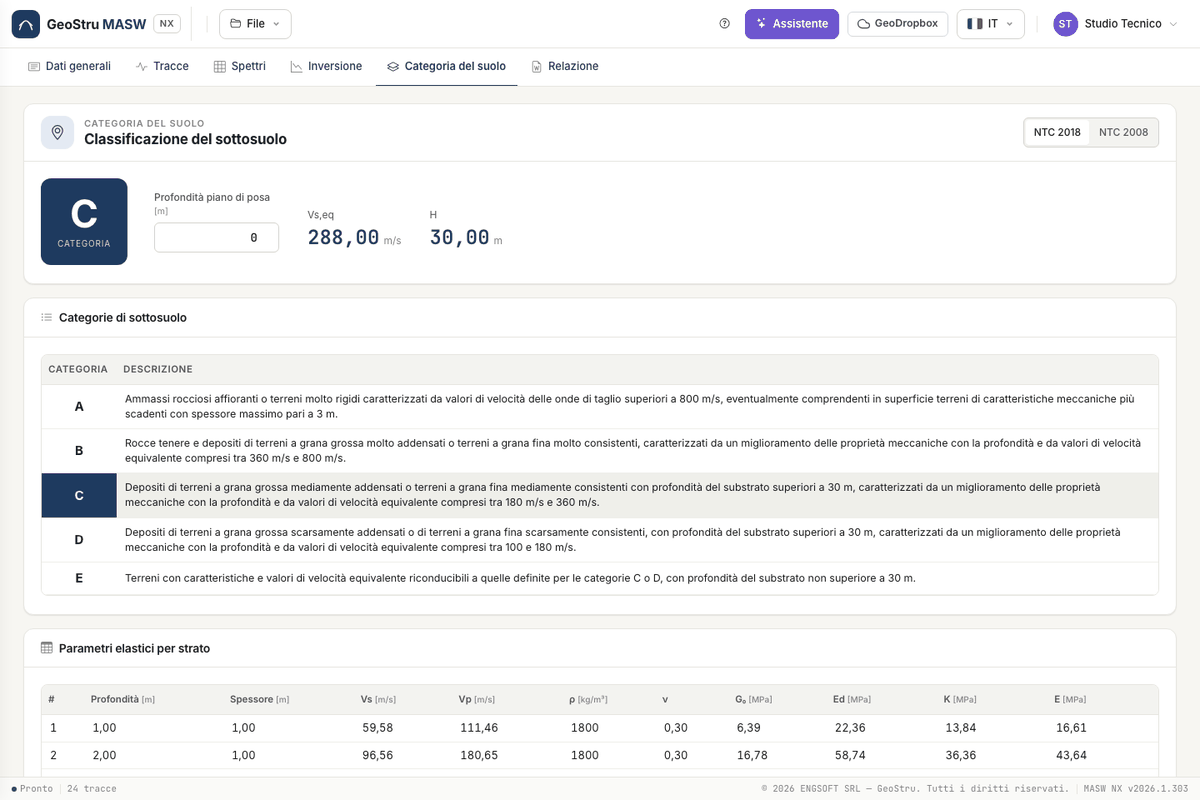
The Categoria del suolo (Soil category) tab shows Vs,eq, H and the category for the chosen solution. If the foundations are not at ground level, enter the foundation depth.
5. Generate the report
In the Relazione (Report) tab check the preview and press Genera Word (Generate Word).
Next steps
For your own survey start from Traces.
Found an error on this page? Let us know or open a Pull Request.