Report, DXF and credits¶
Word report¶
The tab shows a free preview. Genera Word (Generate Word) produces the document in the interface language: general data, traces, spectral analysis, dispersion curve, inversion, results, geotechnical parameters. The header comes from the consulting firm data in General data.
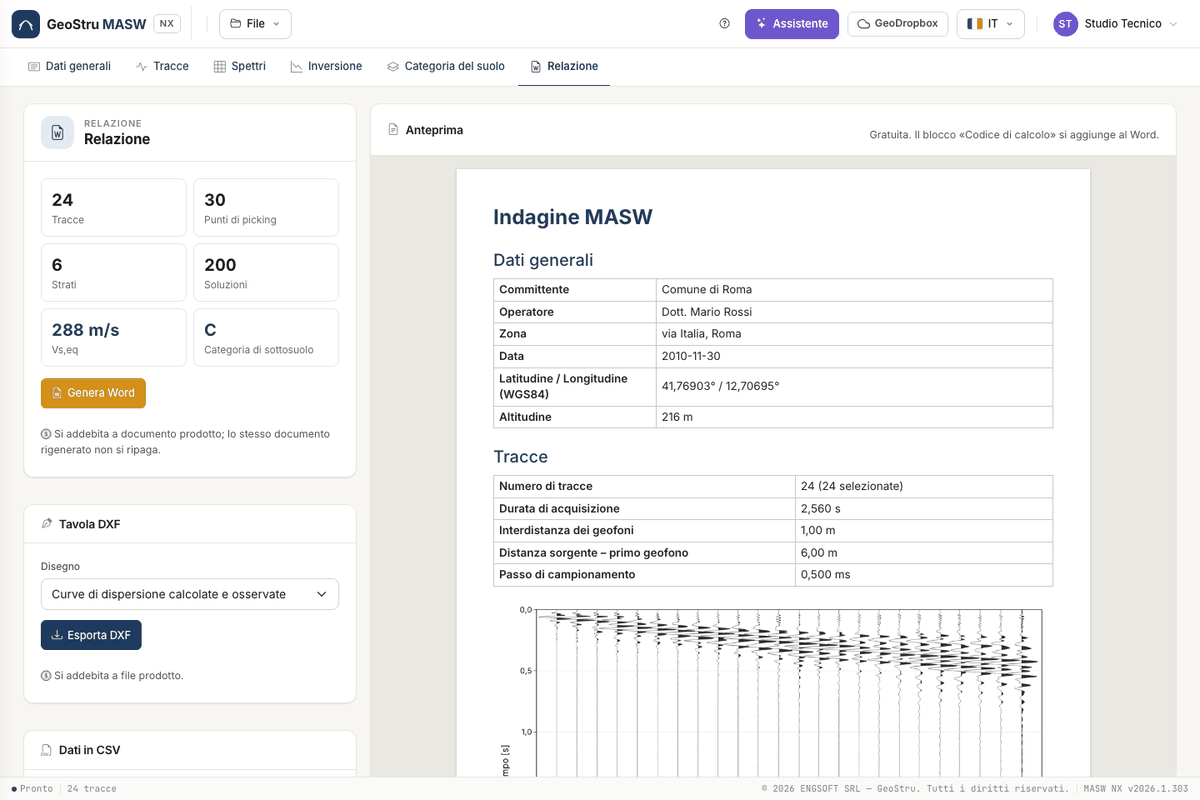
The report ends with the calculation code block required by §10.2 of the Italian NTC: software, engine version, document
code and data fingerprint. The code can be checked at geostru.ai/verify/<code>. The check says the document was issued,
not that the calculations are free of errors.
If data changed after the inversion, the report is not generated until you run again.
DXF and CSV¶
Esporta DXF (Export DXF) produces the drawing of the dispersion curve or the Vs profile. Colour maps do not go into a DXF. The stratigraphic column of the solution, with the colours and hatches chosen per layer, exports to DXF and A4 PDF. The CSV files of dispersion curve and profile are free.
What uses credits¶
| Action | Credits |
|---|---|
| Traces, spectrum, picking, synthetic curves, category, preview, CSV | free |
| Inversion run | yes, when solutions are delivered |
| Word report | yes, when the document is produced |
| DXF or PDF drawing | yes, when the file is produced |
| Assistant message | yes, on a successful reply |
If an operation fails or you stop it, you do not pay. Repeating the same operation on the same data after a success is not charged again. Balance and credit expiry are in the user menu.
Found an error on this page? Let us know or open a Pull Request.