Downhole NX — Down-hole seismic test
Downhole NX processes the down-hole seismic test: from the recorded traces to the first-arrival times of P and S waves, then corrected times, travel-time curves, the direct method and the interval method, up to the equivalent velocity Vs,eq (Vs,30), the Word report and the DXF drawings. It is the GeoStru Downhole desktop program brought to the browser, with its calculation defects fixed and declared.
About the screenshots
The screenshots show the Italian interface. Labels in the text are those of the English interface, in the same position on screen.
Who it is for
Geologists, geophysicists and geotechnical engineers, and site-investigation contractors who run the test and have to deliver its processing: Vp and Vs profile, dynamic elastic parameters, Vs,eq for the seismic characterisation of the site.
How you work
Six tabs, left to right, follow the order of the job:
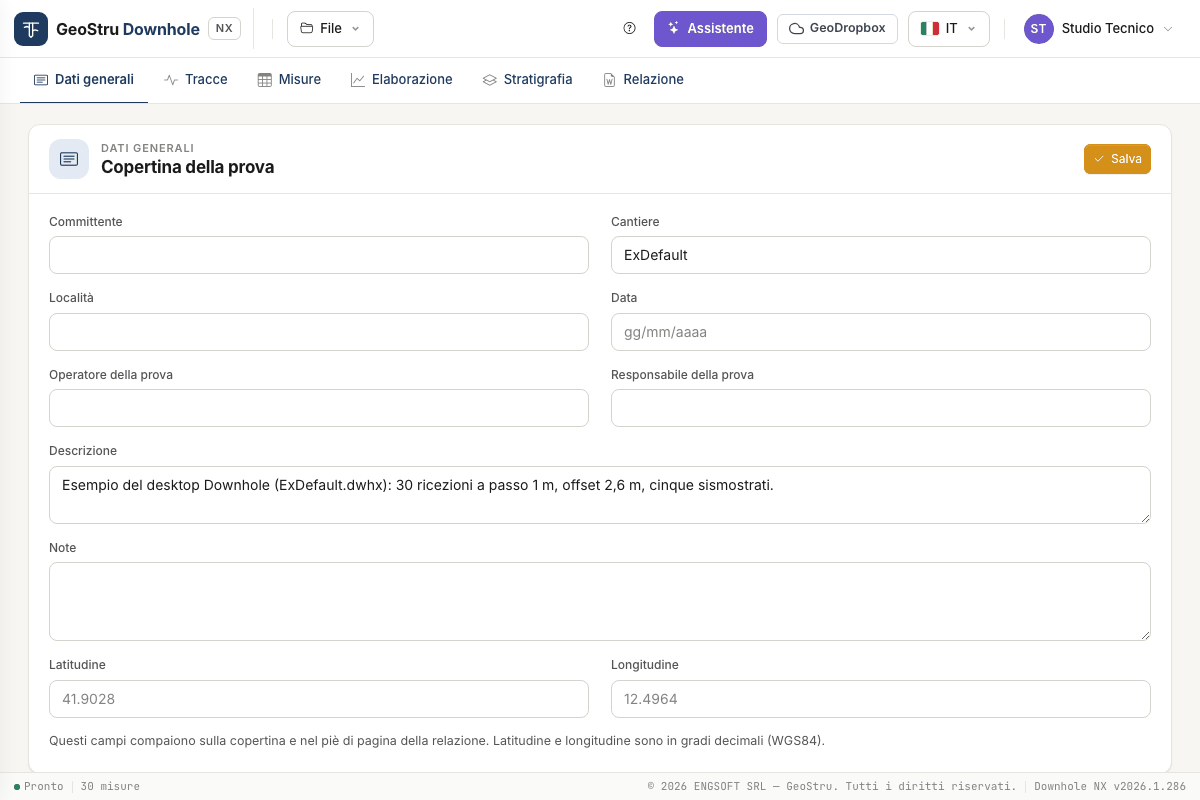
- General data — client, site, date, operator: the cover-page fields.
- Traces — you upload the recorded files (SEG-2 or text) and pick on the traces the first-arrival time of P and S waves at each depth: by hand, or starting from the times the app proposes and you check. If you already have the times, skip this tab.
- Measurements — the test geometry and the depth / Tp / Ts table: typed, pasted from a spreadsheet, or sent from the Traces tab.
- Processing — corrected times, travel-time curves, seismic layers inserted on the chart or proposed by the app, parameters per layer and per interval, Vs,eq.
- Stratigraphy — the descriptive lithological column.
- Report — the Word document and the DXF drawings.
The top bar holds the File menu, the ? help button, the Assistant, GeoDropbox, the language and the user menu.
What it computes
- Corrected times for the obliquity of the source–receiver path.
- Direct method: Vp and Vs of each seismic layer you define on the travel-time curve.
- Interval method: Vp and Vs between two consecutive receivers, and the averages per seismic layer.
- For each layer and interval: unit weight γ, Poisson's ratio ν, shear modulus G, constrained modulus Ed, Young's modulus E, bulk modulus Ev.
- Vs,eq between two depths of your choice (Vs,30 with 0 and 30 m).
Two aids are not part of the calculation but prepare it: Propose the times, which proposes the first arrivals on the traces and marks the doubtful ones, and Propose seismic layers, which proposes the layer bases on the travel-time curve. They are proposals: you accept, correct or discard them.
The formulas are in Theory; the test cases in Validation.
Limits to be aware of
- The result is only as good as the arrival times. The app can propose them, but a proposal is not a reading: they must always be looked at again on the traces, starting with those the app itself marks as doubtful.
- The proposed seismic layers are the subdivision that best follows the times, not a geological interpretation.
- It reads SEG-2 and text traces (TXT, CSV). It does not read other acquisition formats.
- It assumes straight ray paths between source and receiver and applies no correction for borehole deviation or for the elevation of the source.
- The moduli are dynamic, small-strain moduli.
- It does not assign the subsoil category: Vs,eq is a number, the classification is left to the designer.
The full list of limits is in Validation and in the FAQ.
What uses credits
Downhole NX runs on NX credits. Only three actions use them:
| Action | Where |
|---|---|
| Generate Word | Report tab |
| Export DXF | Report tab |
| Each message to the assistant | Assistant panel |
Uploading traces, picking times, having times and seismic layers proposed, processing, moving seismic layers, viewing the charts and saving the project cost nothing. If a credit operation fails, nothing is charged. This manual does not quote prices: they are in the price list on geostru.ai, and your balance is in the user menu at the top right. Details in Report, DXF and credits.
What you need
- A GeoStru account and an internet connection: the calculation runs on the server.
- An up-to-date desktop browser. The app is tested with Chromium-based browsers (Chrome, Edge) and a window at least 900 px wide; touch dragging and Safari have not been tested.
- The interface comes in seven languages (Italian, English, French, Spanish, German, Romanian, Danish). The report is written in the interface language.
Save before you leave
The project lives on the server for the length of the session: after 30 minutes of inactivity it is gone. Download the file with File → Save .dhnx or use GeoDropbox. See Files, desktop projects and GeoDropbox.
Help inside the app
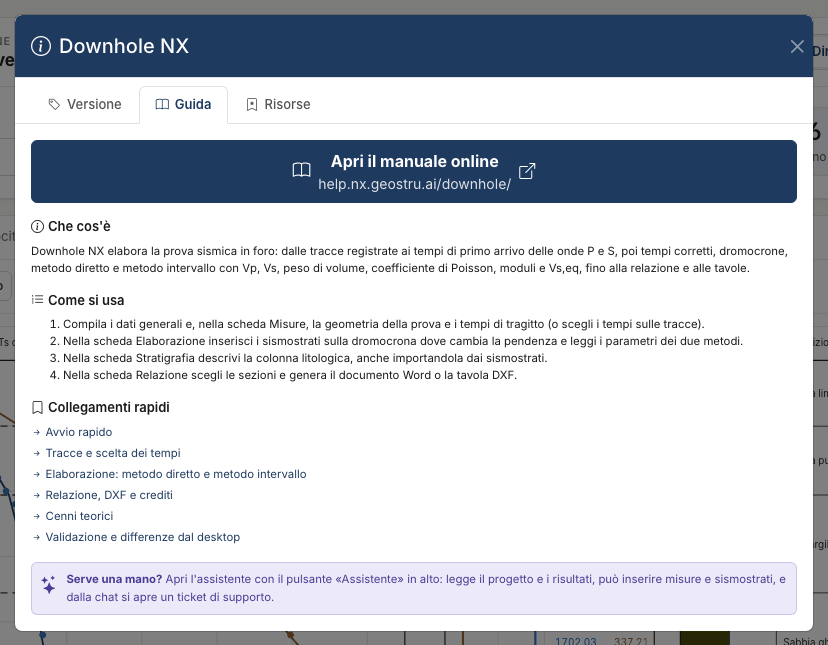
The ? button in the top bar opens the help. The Guide tab sums up the steps and
links to the pages of this manual; the Resources tab lists the features and lets you
download the example project as a .dhnx file; the Version tab shows the version in
use.
Where to start
- Quick start — the example, from opening it to the report.
- Traces and time picking and Measurements and test geometry — the data.
- Processing and Stratigraphy — the results.
- Report, DXF and credits, AI assistant, Files.
- Theory, Validation and differences from the desktop version, FAQ.
Found an error on this page? Let us know or open a Pull Request.